CSS Positions

what is CSS Position..?
CSS Position property allows you to position the elements at certain place in an HTML Document, i.e; in top, right, bottom and left directions.
There are 5 types of position properties in CSS , they are
static
relative
absolute
fixed
sticky
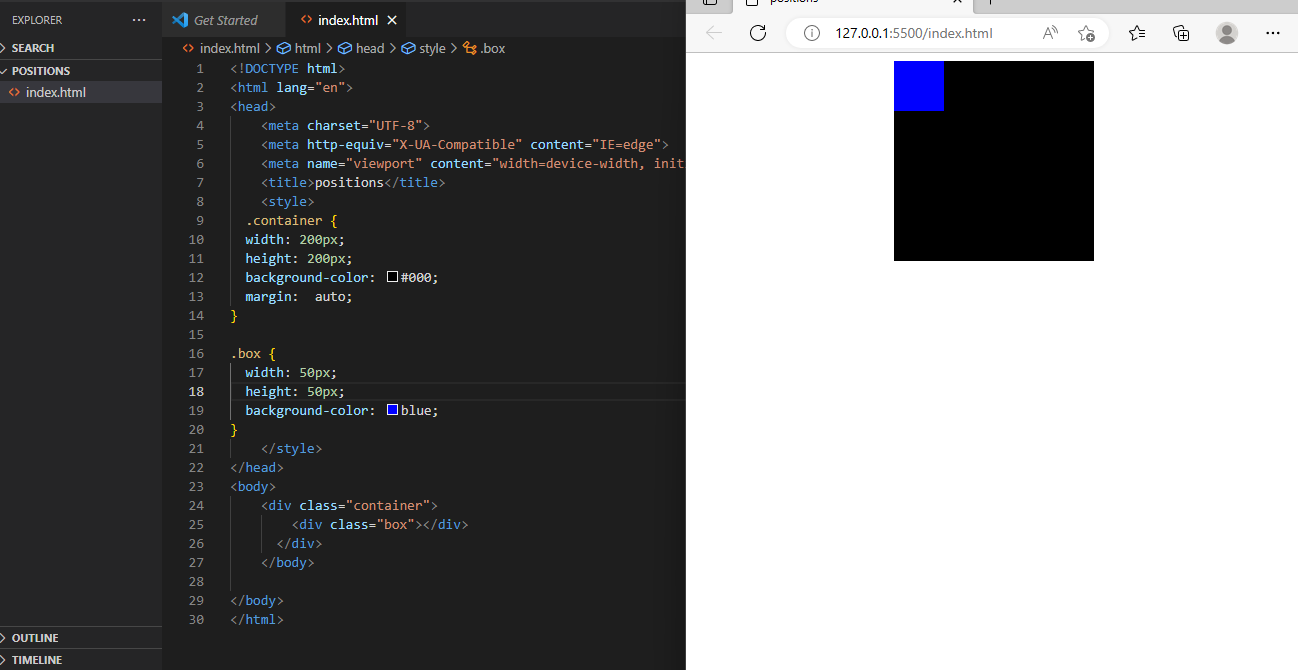
- static - The static property is the default position property of all HTML elements. It does move(position) the elements in any directions instead will be laid in i'ts own position in HTML document. for example
Relative -
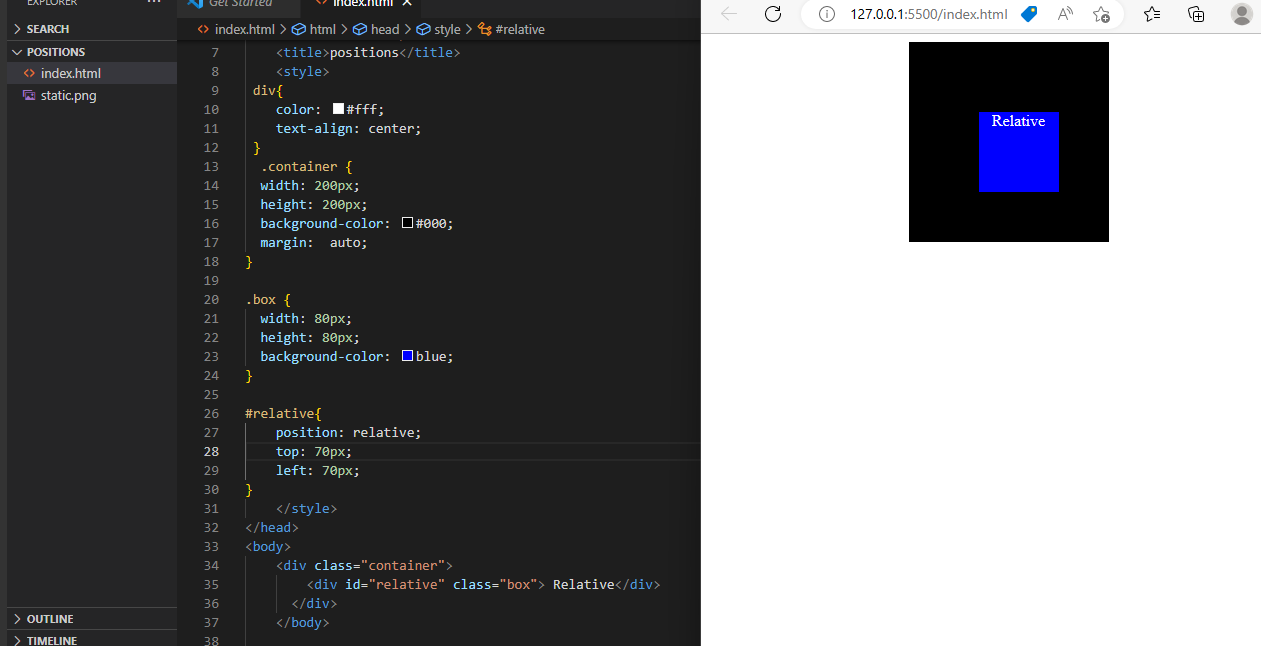
The relative property is also another position property of CSS. An element with
position: relative;is positioned relative to its normal position. It does not wrap around your head right!?for example -
absolute -
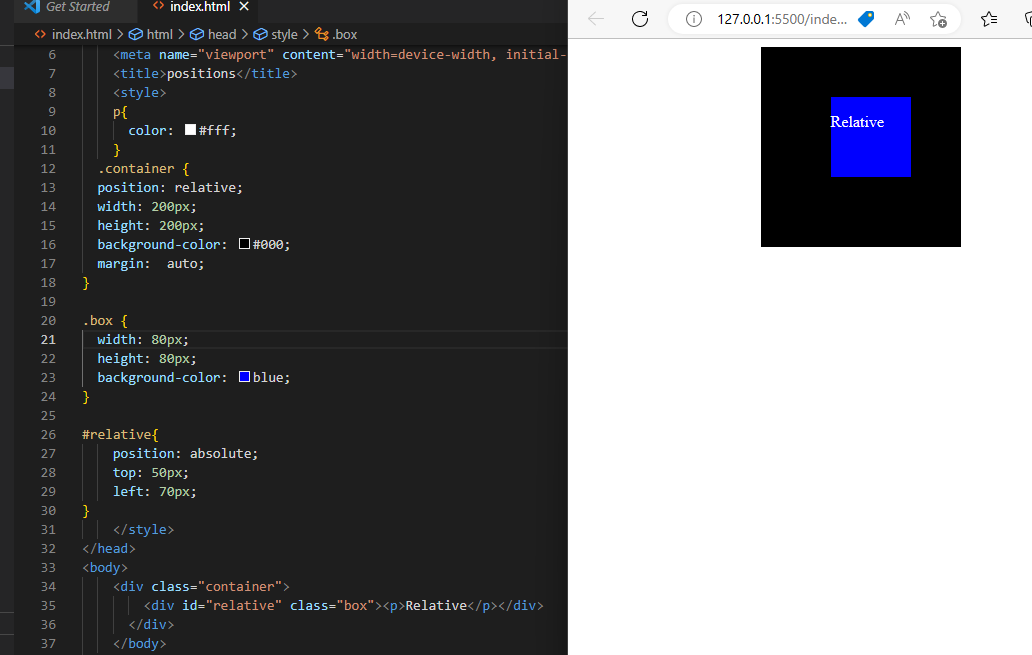
Unlike relative position, the
position: absolute;property position an element relative to its parent elements position. If there is no position property set to the parent element, it uses the document body. So in order to position the element according to its parent element, we should need to give the parent element of property position: relative;for example -
fixed -
An element with
position: fixed;property is positioned relative to the viewport, which means it always stays in the same place even if the page is scrolled. We can also use the top, right, bottom, and left properties to position the element.%[https://codepen.io/Chandrasekhar-kommoju/pen/RwBWoOB]
sticky -
An element with position: sticky; is positioned based on the user's scroll position. It is the combination of both relative and fixed positions.
%[https://codepen.io/Chandrasekhar-kommoju/pen/gOjagYq]


